Why Live Performance Audio Interfaces Are Different Beasts
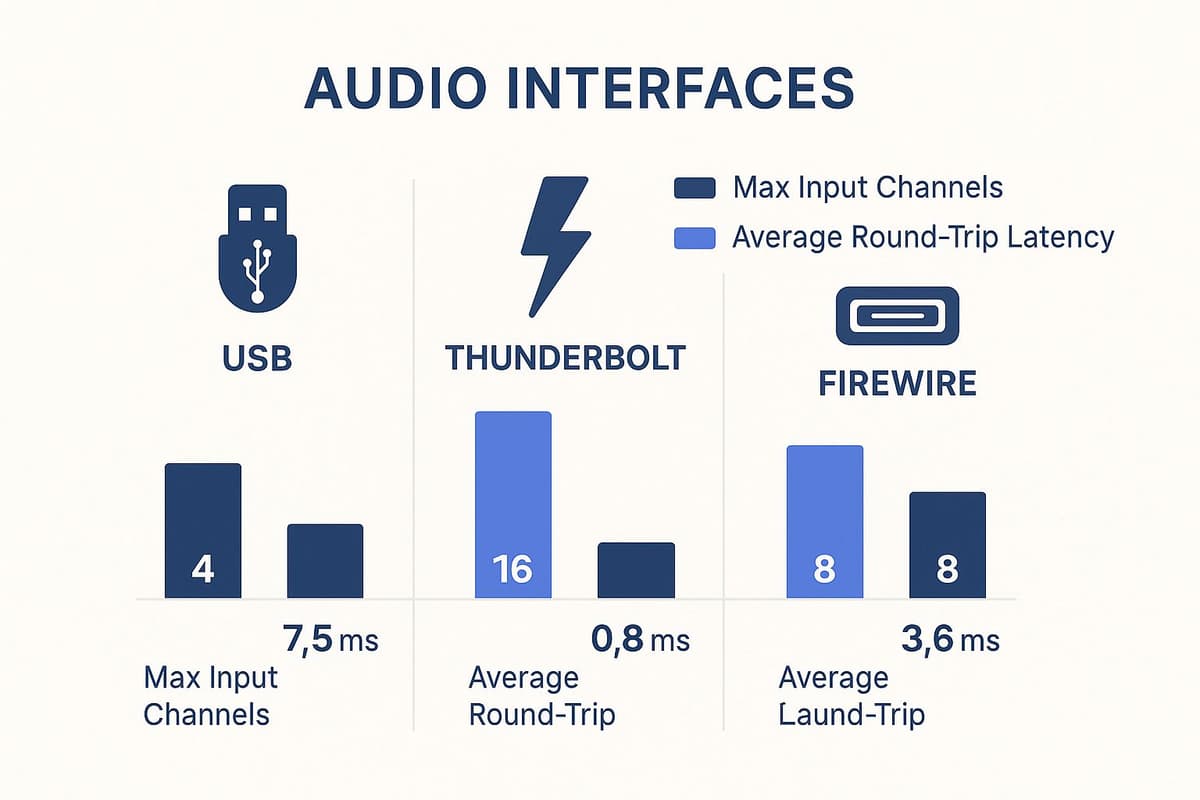
Your trusty studio interface might sound amazing in your acoustically treated room, but the chaotic world of live performance is a whole other ballgame. From freezing load-ins to blazing hot stages, a live performance audio interface needs to be built like a tank. The infographic above compares typical audio interface connection types: USB, Thunderbolt, and FireWire, highlighting their maximum input channels and average latency. These are crucial factors when juggling multiple inputs and needing super-low latency for real-time monitoring on stage.
As you can see, Thunderbolt offers the most channels and lowest latency, making it perfect for larger setups. USB offers a sweet spot of performance and affordability. This illustrates the core trade-offs you face when choosing an interface for live use. Imagine trying to hook up your delicate studio interface to a dusty, buzzing analog mixer in a dimly lit club. Yikes.
Durability and Connectivity: Essential for the Road
Live performance audio interfaces need to be tough. Seriously tough. They get crammed into trucks, tossed onto stages, and generally abused. Solid construction is non-negotiable. I've personally seen interfaces with flimsy plastic casings crack just from being in a gig bag, forget about a full tour.
Also, seamless integration with other gear is crucial. A live rig can include anything from vintage analog mixers to state-of-the-art digital consoles. Your interface needs to play nicely with everything.
Real-World Performance vs. Studio Specs
In the studio, certain specs might seem all-important. But on stage, it's about real-world performance. Low latency is vital for musicians to hear themselves properly. I once saw a drummer completely lose the beat because of latency – a nightmare easily avoided with the right interface.
Reliable drivers are another must-have. A driver crashing mid-performance can kill a show faster than a broken string. For more on building a solid live sound system, check out our guide on line array speakers.
Speaking of live sound, the demand for high-quality audio is exploding, and the audio interface market is growing right along with it. In 2024, the market was valued at USD 187.59 million and is expected to hit nearly USD 349.79 million by 2032, driven by the rise of live streaming and podcasting. Discover more insights. This growth highlights the increasing need for dependable audio interfaces in live settings.
To help illustrate the key differences, let's take a look at the following comparison:
Studio vs Live Performance Audio Interface Comparison
Key differences between studio-focused and live performance audio interfaces in terms of build quality, features, and design priorities
| Feature | Studio Interface | Live Performance Interface | Why It Matters Live |
|---|---|---|---|
| Build Quality | Often less rugged | Durable, road-worthy construction | Must withstand the rigors of transport and stage use. |
| Connectivity | May prioritize studio connections (e.g., ADAT) | Flexible connectivity (e.g., analog and digital) | Needs to integrate with a wider range of live equipment. |
| Latency Focus | Extremely low latency important | Low latency crucial, but stability also paramount | Latency affects monitoring, but driver stability is essential to avoid show-stopping crashes. |
| Feature Set | May include extensive studio features | Prioritizes essential live features | Redundancy and quick access to key controls are more valuable than complex studio-focused features. |
| Preamp Quality | High-end preamps common | Robust, reliable preamps | Clean gain and reliable performance are essential in challenging live environments. |
This table summarizes the core differences in design philosophy between studio and live interfaces. While both aim for high-quality audio, live interfaces prioritize ruggedness, adaptable connectivity, and rock-solid stability above all else.
Choosing the right audio interface for live performance means choosing stability and reliability over fancy specs. You need gear that works flawlessly, night after night, no matter the venue.
Matching Your Interface to How You Actually Perform
Let's get real about audio interfaces for live performance. There's no magic bullet solution. A solo acoustic act with a vocal mic has completely different needs than a five-piece band triggering samples and running backing tracks. I've seen this firsthand working with all kinds of performers – the wrong interface can absolutely wreck a gig.
From Coffee Shops to Festival Stages: The Right Fit
Think about a singer-songwriter playing a cozy coffee shop. A compact 2-in/2-out interface like the Focusrite Scarlett 2i2 often does the trick. Clean vocals, a nice guitar signal, maybe a touch of reverb, and reliable monitoring – that's the priority. Lugging a 16-channel monster to a small venue is just unnecessary.
Now picture a DJ mixing vinyl with digital tracks. They'll need enough inputs for turntables and a mic, plus outputs for cueing in their headphones. Something like the Native Instruments Komplete Audio 6 with its flexible I/O would be a much smarter choice.
The Feature Trap: More Isn't Always Better
It's easy to get drawn in by fancy specs, but trust me, resist the temptation. A 32-channel interface might look impressive, but if you're only using four channels, you're just wasting money and adding unnecessary complexity. I've watched performers get tangled up in complicated menus mid-set because they didn't take the time to learn the basics of their overpowered interface.
Focus on your actual needs.
- How many instruments will be connected at once?
- Do you need individual phantom power for condenser mics?
- Will you be sending separate monitor mixes?
Real-World Examples and Costly Mistakes
USB audio interfaces are everywhere in live music now because of their convenience. This has driven serious market growth – projected to hit $500 million by 2025, growing at a CAGR of 8%. This shows just how important it is to choose wisely. Discover more insights.
I once worked with a band that invested in a top-of-the-line interface with very limited direct monitoring. The result? Horrible latency on stage and a drummer who couldn't hear himself at all. Another performer bought an interface with too few inputs and spent their entire set scrambling to repatch cables. These are the kinds of expensive headaches you can easily avoid with a little planning. How to Find the Best Audio Equipment Deals might be helpful too. Matching your interface to your real-world needs – not some fantasy scenario – is the key to a smooth, professional performance. Explore our range of audio interfaces to find the perfect match.
Making Friends With Venue Equipment and Sound Engineers
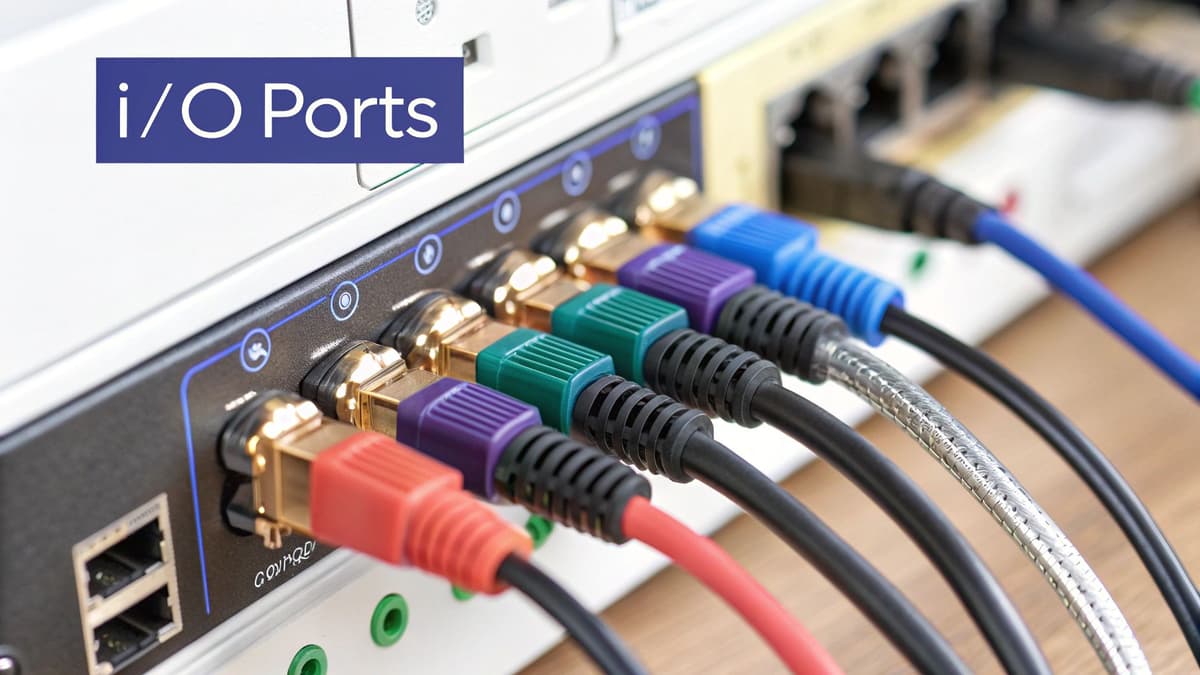
Your live audio interface is only as good as its connection to the house system. I've witnessed countless soundchecks spiral into tech-support hell because performers weren't ready for the quirks of venue gear. It's not just about having a top-notch interface; it's about knowing how it plays with everything else.
Balanced Outputs and Ground Loops: Taming the Noise
In the chaotic electrical environment of a live venue, balanced outputs are crucial. Unlike your quiet studio, venues are buzzing with electrical noise. Balanced cables help reject this interference, keeping your signal clean. Believe me, troubleshooting hum and buzz during a gig is not how you want to spend your time.
Speaking of noise, let's talk about ground loops. These nasty little gremlins appear when equipment is connected to different ground points, creating a loop that picks up electrical hum. A trusty DI box can break these loops and rescue your sound.
Adapting to Different Mixer Types: Analog vs. Digital
Mixers are like snowflakes – no two are exactly alike. You might run into anything from a vintage analog beauty to a cutting-edge digital console. Knowing the difference is essential. Analog mixers need a direct connection from your interface's outputs. Digital mixers, though, often have digital options like AES/EBU or S/PDIF, offering a potentially cleaner signal path.
I once played a venue with an ancient analog board that only had XLR inputs. Thankfully, I had packed the right cables and adapters for my interface. Preparation saved the day! You might also find our guide on wireless microphone setups helpful since mics are a big part of your live rig.
Communicating with Sound Engineers: Be a Team Player
The house sound engineer is there to help you, not hinder you. Good communication is key. Let them know which outputs you're using and any specific needs your audio interface might have. If you’re using backing tracks, make sure they’re prepared. A little teamwork goes a long way.
Backup Plans: When Things Go Wrong
Let's face it: tech will fail at some point. Always have a backup plan. A simple DI box can let you connect directly to the mixer, bypassing your interface in a pinch. I also carry a spare set of cables and adapters. It may seem like overkill, but trust me, it's a lifesaver. Having backup options and understanding signal flow is priceless in live situations. Check out our resources on audio interfaces for more info on choosing the right gear.
Blending Live Instruments with Digital Magic
These days, a live performance often blends physical instruments with digital tools like backing tracks, loops, and real-time effects. Your audio interface is the crucial link between these two worlds. Trust me, getting this right is paramount. A misconfigured interface can lead to those dreaded mid-song dropouts that make you want to throw your laptop across the stage (I've been there).
DAW Integration: The Heart of Your Digital Setup
For many musicians, a digital audio workstation (DAW) like Ableton Live or Pro Tools is essential for live performance. I've personally seen how a properly integrated DAW can transform a live set, adding layers of complexity and opening up creative possibilities you wouldn't believe. But the real magic is reliable integration. You need a setup that handles both your live instrument inputs and playback without bogging down your system.
This means understanding your buffer settings. The sweet spot for live performance is often lower than what you’d use in the studio. Lower buffers mean less latency, that annoying delay between playing a note and hearing it. But go too low, and your system might overload, leading to clicks, pops, and dropouts – especially in a hot, electrically noisy live environment. Experimentation is key here. Find what works best for your gear.
Managing Multiple Audio Streams: Avoiding Overload
Handling multiple audio streams is another crucial piece of the puzzle. Imagine a band with several instruments, backing tracks, and click tracks, all running through the interface. Things can get crowded fast. I once worked with a band constantly plagued by audio glitches. Their interface and computer simply couldn't handle the load. Upgrading their interface and optimizing their computer for real-time audio was a game-changer.
Thinking about fail-safe routing is a smart move, too. What happens if one piece of your setup goes down – say, your software crashes? Building in redundancy doesn’t mean doubling up on every piece of gear. Even simple backup strategies can save your performance.
The increasing use of DAWs in live shows has fueled a boom in the audio interface market. Global sales are projected to jump from $3.5 billion in 2023 to $5.8 billion by 2032, showing just how much demand there is for high-quality interfaces. You can learn more about the growth of the audio interface market. This growth highlights how important it is to choose the right interface to manage the demands of modern live shows. Check out different audio interfaces to find the one that fits your workflow. For more tips on live sound, take a look at our articles on wireless mic setup and pro audio repair.
Conquering the Latency Monster
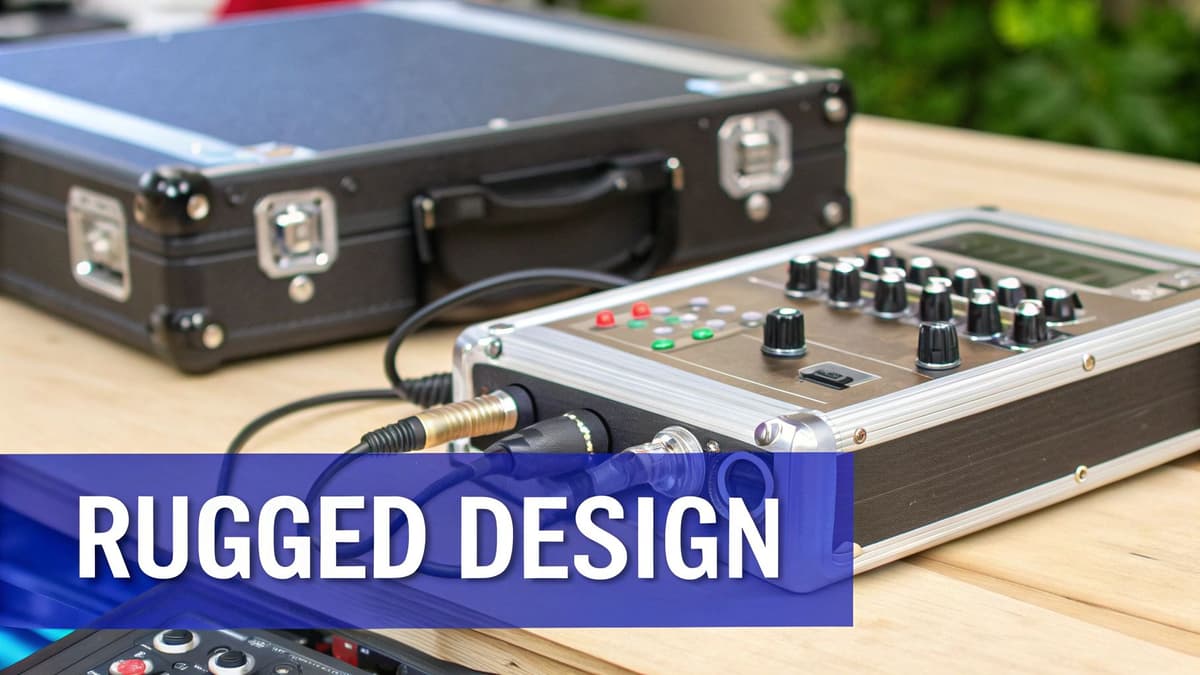
Nothing kills a live set like noticeable delay. Even a few milliseconds of latency can throw off your playing and make monitoring a nightmare. Getting rock-solid low latency for your live audio interface isn't just about expensive gear. It’s about understanding how everything in your setup works together.
When using a combination of live instruments and digital audio workstations (DAWs), understanding how your music can generate income is essential. Explore various audio monetization strategies to see how you can benefit.
Drivers and Optimization: The Foundation of Low Latency
First things first: drivers. I've been there – drivers that work perfectly in the studio can completely fail on stage. Hunt down drivers known for stability under pressure. Forums and reviews from other musicians are your best friends here. Optimizing your computer is crucial too. Close anything you don't need running, disable background processes, and keep your OS updated.
Think of it like this: you wouldn't run a marathon with a backpack full of rocks, right? Same goes for your computer during a live performance.
Buffer Size: The Balancing Act
Next up: buffer size. This is how much time your computer has to process the audio. Smaller buffers mean lower latency, but they also push your system harder. What works in your bedroom might cause dropouts on a hot stage with electrical interference everywhere. The trick is finding that sweet spot – low latency without sacrificing stability. I usually start with 128 samples and tweak from there depending on the situation.
Identifying and Eliminating Latency Sources
Latency can sneak in from all over: your interface, DAW, plugins, even your cables. Figuring out where the delays are coming from is half the battle. Some plugins, for example, are notorious latency hogs. Using lower-latency alternatives or placing them strategically in your signal chain can make a world of difference.
I remember one gig where I was using a reverb plugin that sounded amazing in rehearsals but added a noticeable delay on stage. I ended up switching to a simpler reverb that didn't have the same latency issues. Lesson learned!
Sometimes, interfaces that work great in the lab struggle in real-world scenarios. This could be due to driver issues, shielding problems, or just plain bad design. I've seen interfaces with stellar specs on paper completely fall apart at a show. Learning how to troubleshoot quickly is a must.
To help you navigate the world of buffer size settings, I've put together this handy table:
Buffer Size Settings for Different Live Performance Scenarios
| Performance Type | Recommended Buffer Size | Expected Latency | Stability Notes |
|---|---|---|---|
| Solo acoustic performance (minimal processing) | 64 samples | Very Low | Most stable in quiet environments with low CPU load |
| Small band (moderate processing) | 128 samples | Low | Good balance between latency and stability |
| Large band (heavy processing) | 256 samples | Moderate | Best for complex setups or less powerful computers |
| DJ set (real-time mixing) | 128-256 samples | Low-Moderate | Adjust based on the number of decks and effects used |
This table provides a general guideline. Experiment to find what works best for your specific rig and performance needs. Remember, stability is key! A little extra latency is better than audio dropouts mid-song.
Check out our blog for more tips and tricks, or our guide to audio interfaces to find the right one for you. You can also browse the Gearsupply marketplace for a wide selection of pro audio equipment.
When Everything Goes Wrong (And It Will)
Live performance is a rush, no doubt, but it's also a breeding ground for unpredictable tech hiccups. Trust me, even with the most meticulous setup, your audio interface will eventually decide to have a mind of its own. I’ve heard it all – driver crashes in the middle of a set, phantom power going AWOL, weird electrical interference that appears out of nowhere. So, let's talk damage control. What do you do when the tech gremlins attack mid-show?
Quick Fixes Under Pressure
When you're onstage and the audience is waiting, you don't have time to leisurely troubleshoot. Here are a few quick fixes for common live audio interface problems:
Driver Crashes: If your driver decides to take a break, a backup interface (even a simple 2-in/2-out) can save the day. Quickly reroute your essential inputs (vocals, key instruments) and get back to the music.
Phantom Power Problems: Condenser mics rely on phantom power, and when it goes out, they go silent. Always carry spare batteries for mics that allow them, or be prepared to swap to dynamic mics.
Electrical Interference: Buzzing and humming can absolutely kill a performance. A DI box can often isolate your interface from troublesome power sources. Also, keep extra cables on hand – sometimes a bad cable is the hidden culprit.
Backup Plans: The Mark of a Pro
Pros don't just hope for the best, they plan for the worst. This doesn't mean bringing two of everything. It’s about smart redundancy.
Hardware Redundancy: A smaller, bus-powered interface can be your backup for your main unit. Figure out which inputs are essential and practice a quick switch-over in case your main interface fails.
Emergency Signal Routing: Know how to completely bypass your interface if absolutely necessary. A DI box that can connect directly to the mixer is an essential fallback. Troubleshooting can wait till later.
Dealing with Venue Chaos
Every venue has its own quirks. Unreliable power, incompatible equipment – it's all part of the game.
Power Issues: A quality power conditioner can protect your gear from voltage spikes and dips. If you can, test out different outlets at soundcheck to find the most stable ones.
Incompatible Gear: Pack an assortment of adapters and cables. It might seem like a hassle, but being prepared for any connection scenario can save a show.
Communicating Effectively: Staying Calm
When technical issues pop up, clear communication with the venue staff is key. Explain the problem simply and directly, without getting bogged down in tech jargon. Focus on what's going wrong and what you need. You might be interested in our blog on pro audio repair for more troubleshooting tips. Remember, staying calm and professional can turn a potential disaster into a minor hiccup. Check out our blog for more advice or browse our audio interfaces to build a more robust live setup.
Building Your Complete Reliable Live Rig
Your audio interface is the heart of your live setup, but let's be real, it's just one piece of the puzzle. A truly road-worthy rig needs a supporting cast to guarantee solid sound, quick setups, and the ability to handle the inevitable bumps and bruises of gigging. Trust me, I've seen firsthand how a well-designed rig can save your bacon (and your sanity).
Power Conditioning: Protecting Your Investment
Dodgy power at venues is a fact of life. Voltage spikes and dips can fry your precious gear faster than you can say "feedback." A quality power conditioner is your essential first line of defense, cleaning up that incoming power and protecting your interface and everything else connected to it. Consider it an insurance policy for your whole rig.
Cable Management: Avoiding Pre-Show Panic
Tangled cables… we've all been there. Frantically untangling a mess of wires minutes before you're supposed to hit the stage, while the sound engineer taps their foot impatiently. Not fun. A decent cable management system is a game-changer. Clearly labeled cables, cable ties, and a well-organized case will save you time, stress, and potential gear damage.
Monitoring Solutions: Hearing Yourself Clearly
Hearing yourself properly on stage is crucial. Every venue has its own acoustic quirks, and what sounds great in your rehearsal space might sound like mud in a live setting. Invest in good in-ear monitors or a solid stage monitor setup. Being able to hear yourself clearly helps you perform your best and avoids those cringe-worthy moments of being completely out of tune.
Backup Strategies: When Tech Fails
Even the most reliable rigs can have bad days. Just like you might have a backup plan for travel snafus (check out this guide about what to do when a flight is canceled), having a backup for your audio interface is crucial. A smaller, bus-powered interface makes a great emergency backup. Practice a quick switch-over just in case disaster strikes. Having a DI box handy is also a smart move, letting you bypass your interface entirely and connect directly to the mixer if needed.
Organization and Transport: Protecting Your Gear
Transporting your gear safely is paramount. A sturdy flight case protects your interface and other sensitive electronics from the rigors of the road. Don't skimp on this – it's an investment that will save you money and headaches in the long run.
Choosing the right audio interface is a big step, and our guide to audio interfaces can help you with that. But remember, a reliable live rig is more than just the interface. It's about creating a system that works seamlessly, sounds fantastic, and can handle the unpredictable nature of live performance. Gearsupply offers a wide selection of audio interfaces, cables, cases, and everything else you need to build your perfect live rig. Check them out!